


Introducing OneStep — from one line of topic to a finished video

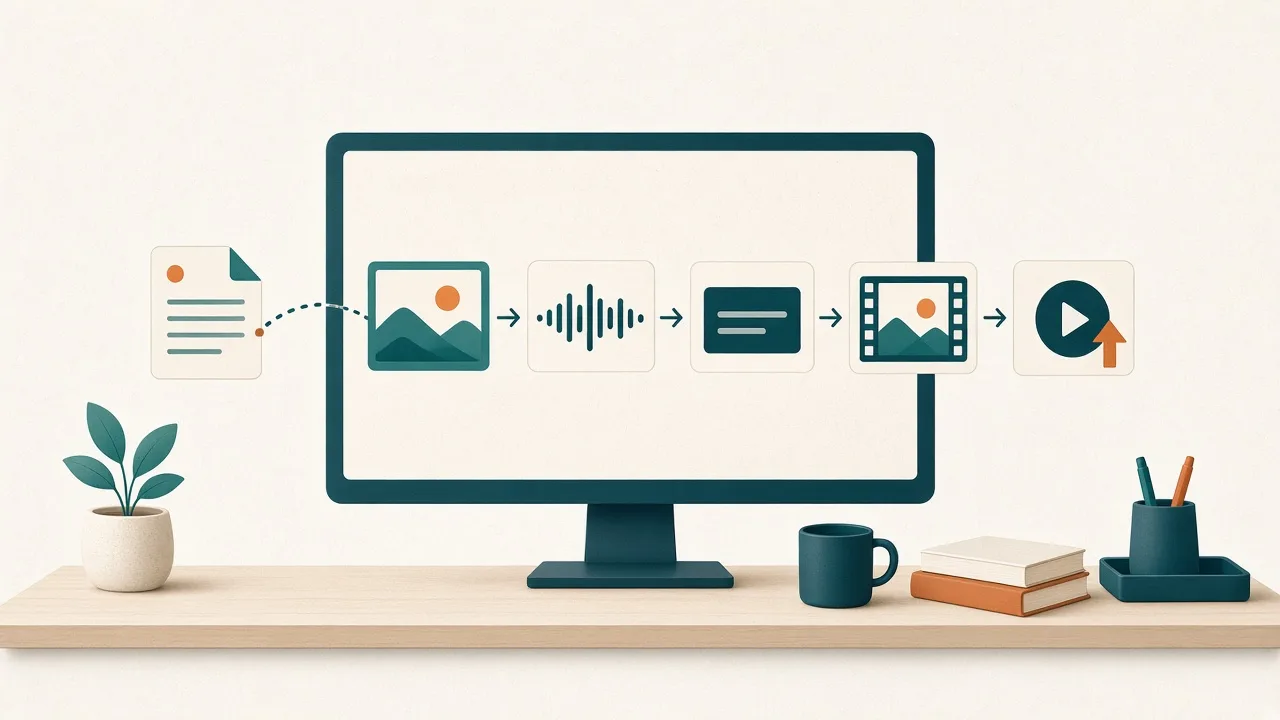
Publishing one video means writing a script, finding an image for every scene, recording narration, timing captions, designing a thumbnail and uploading to YouTube. OneStep is an automated video production program that runs all of that as one job. You enter a topic, press start, and a 12-step pipeline works through it in order.
This post covers what OneStep actually does and what you should know before you use it.
From topic to upload
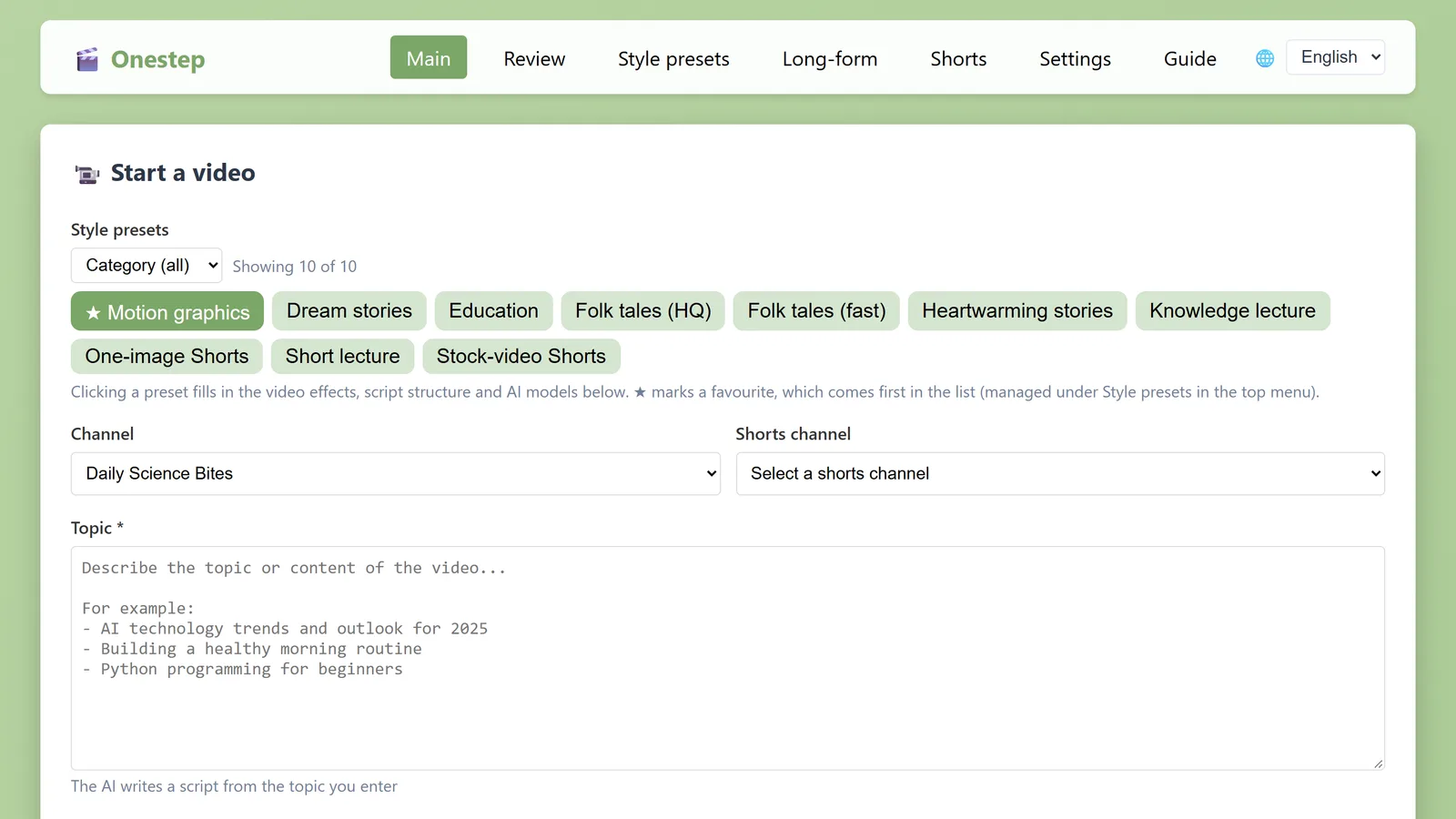
On the main screen you choose a channel and enter a topic. The job then goes through these stages:
- Script — OneStep drafts an outline, then writes each chapter. It splits the script into a hook, the main part and a summary, and also writes the title, description, tags, thumbnail text and chapter titles.
- Images — It generates an image for each scene of the hook and the main part. A reference image can keep a character consistent across scenes.
- Narration — It reads the script aloud. Register a 3–30 second voice sample and it narrates in that voice.
- Captions and assembly — It times the audio word by word, adds captions and assembles the video. You can restyle the captions in an editor.
- Finishing — It adds the intro, logo, background music and YouTube chapter timestamps, then makes the thumbnail.
- Upload — It uploads to YouTube as public, private or scheduled, and sets the thumbnail and playlist.
If you already have a script, paste it in place of a topic and the job starts from stage 2.
Shorts through long-form
- Length — anything from a single Short to a long-form video of about two and a half hours.
- Shorts — make a Short from the hook of a long-form video, or make vertical (9:16) Shorts on their own.
- Languages — content in 10 languages: Korean, English, Japanese, Chinese, Spanish, Portuguese, French, German, Russian and Italian. The program’s interface is available in Korean, English and Japanese.
- Channels — register several long-form and Shorts channels, each with its own script and image prompts and its own voice.
You choose the AI
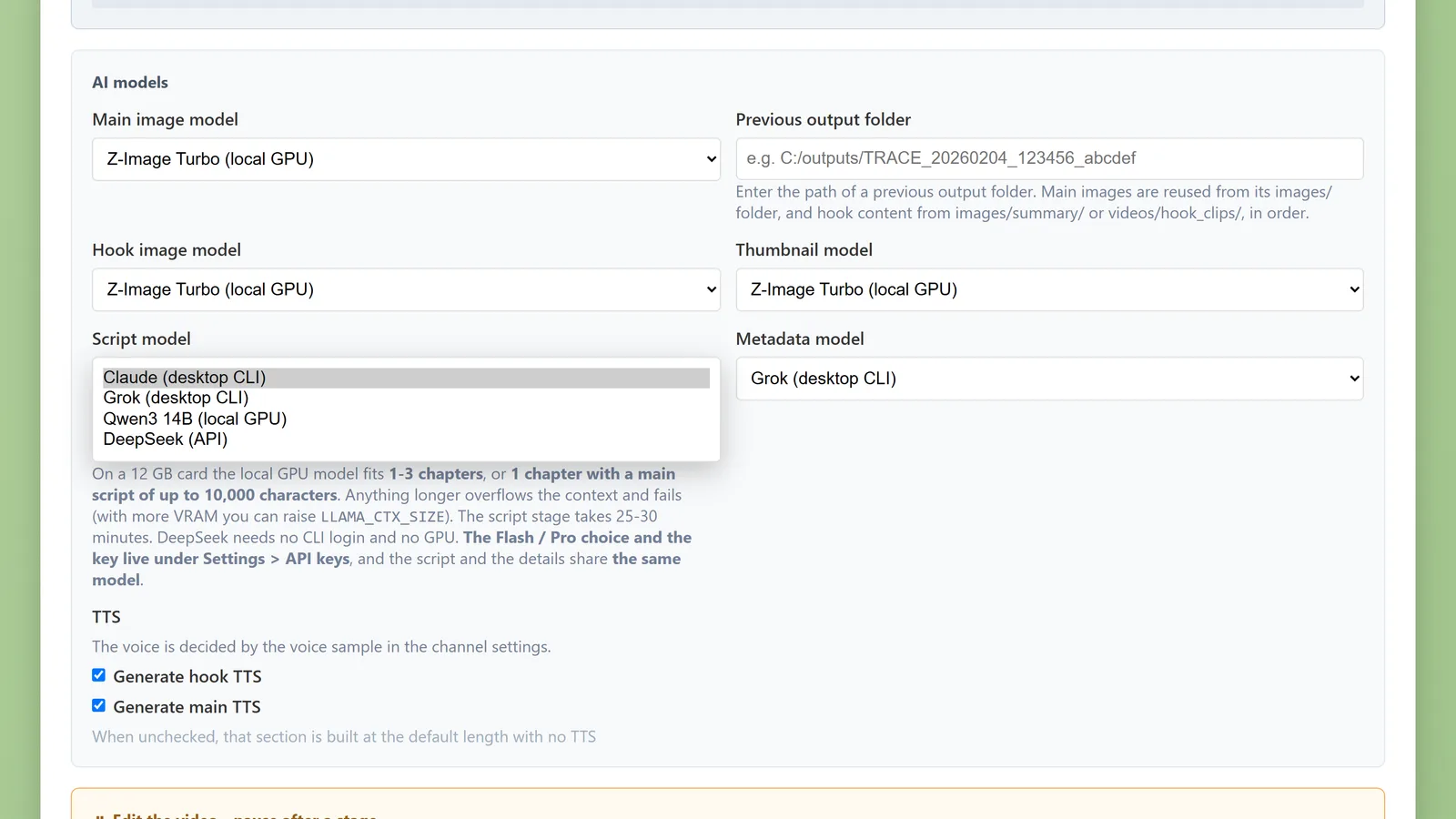
OneStep is not tied to one AI. You pick a model for each stage.
- Run on your own GPU — the script model (Qwen3 14B), the image model (Z-Image Turbo) and the voice model run on your computer. On this path there are no outside AI fees.
- Connect a subscription you already have — if you are signed in to the Claude or Grok desktop CLI, Claude can write scripts and Grok can write scripts and make images and video clips.
- Connect an API — add a DeepSeek key (scripts) or a fal.ai key (images) in the settings.
- Use what you have — Pixabay stock, images from a folder of your own, or images from an earlier job.

Features that keep a video from looking flat
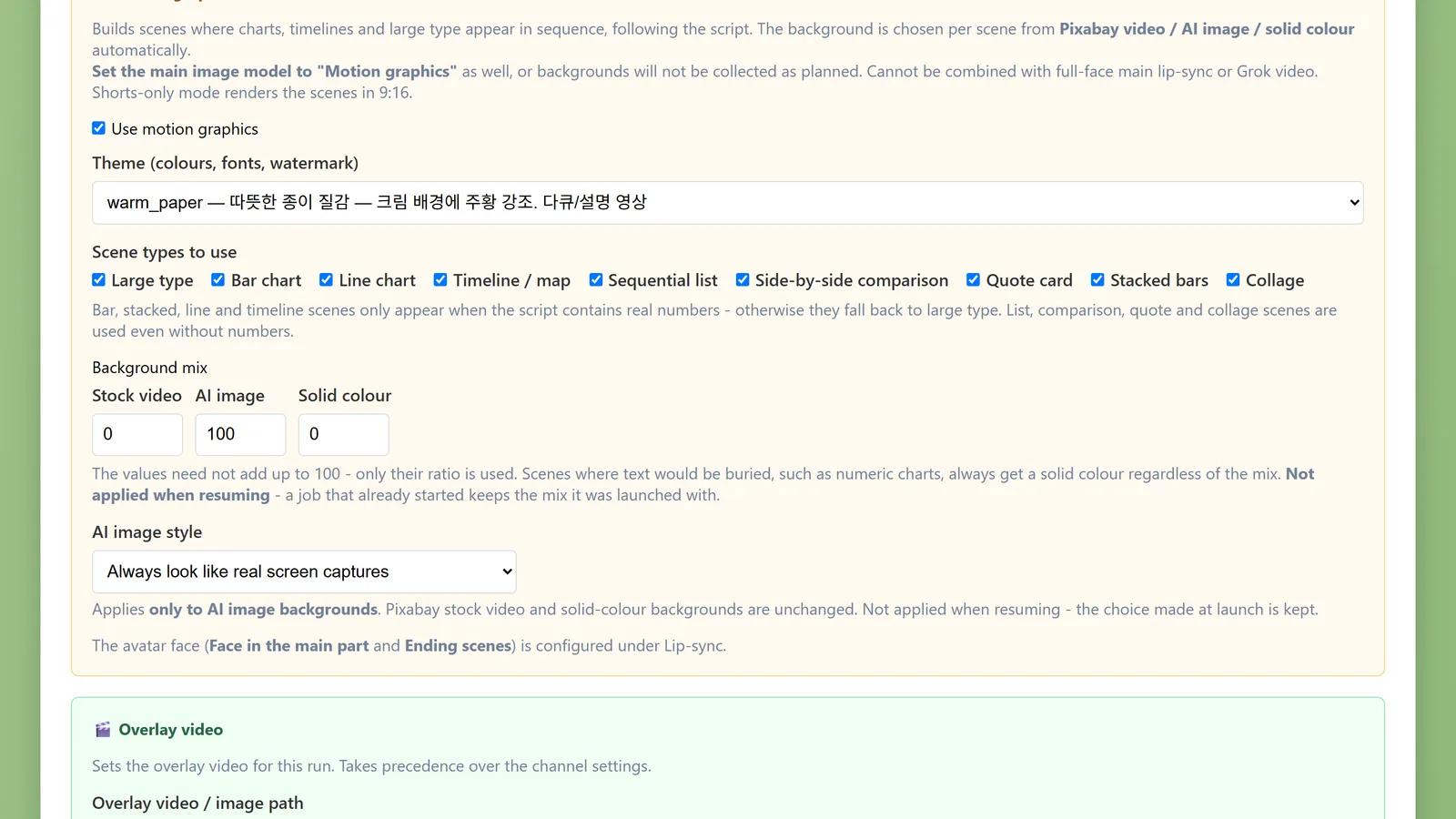
- Motion graphics — nine scene types built from the script, including large type, bar and line charts, timelines, side-by-side comparisons and quote cards, in five themes.
- Lip-sync avatar — an avatar whose mouth follows the narration, in the hook, the main part, the ending or a corner of the screen.
- Grok video — turns an image into a short video clip.
- Ken Burns effect — adds zoom and pan to still images, with smooth transitions between scenes.
Hands-off, but you can step in
- Pause at any stage — stop after the script, after the images or right before upload, fix what you want, then continue.
- Scheduled jobs — set a start time and the job begins then.
- Resume — if a job is interrupted, it restarts from where it stopped.
- Comments — posts a prepared comment automatically once the video is public.
What to know before you start
OneStep does not run the same way on every machine. Please check these conditions before buying.
- It is Windows only.
- Local AI is practical only with an NVIDIA graphics card. On a card with 12GB of VRAM, the local script model handles about one to three chapters and the script stage takes 25–30 minutes. For longer videos, connecting Claude, Grok or DeepSeek works better.
- Grok and Claude features need a subscription to those services. DeepSeek and fal.ai charge by usage.
- Uploading to YouTube needs an OAuth client in your own Google Cloud project, because OneStep uploads through the official YouTube API. The Guide menu inside the program walks through the setup.
- OneStep is a production tool. Views and income depend on your topics and how you run the channel; the program does not guarantee them.
Getting started
OneStep is included in the OneStep All-in-One Package, which comes in 6-month, 1-year and 2-year plans. After purchase you download the program from your purchases page. The product page shows what each plan includes and the current price.
See the OneStep All-in-One Package →
Not sure what to make first? The posts in the Media category each take one topic and show how to build a channel around it.
- Start a K-pop fan channel with OneStep
- How to run a soccer channel without match footage
- Start an esports channel in the off-season
- How to grow a baseball channel in the off-season
- Build an explainer channel for new F1 fans
Questions are welcome at [email protected].
Share Article
If this article helped you, please share it with others!
